> For the complete documentation index, see [llms.txt](https://docs-presto.gateway.fm/llms.txt). Markdown versions of documentation pages are available by appending `.md` to page URLs; this page is available as [Markdown](https://docs-presto.gateway.fm/overview/features-for-developers/how-to-use-presto-with-ethers.py.md).
# How to use Presto with ethers.py
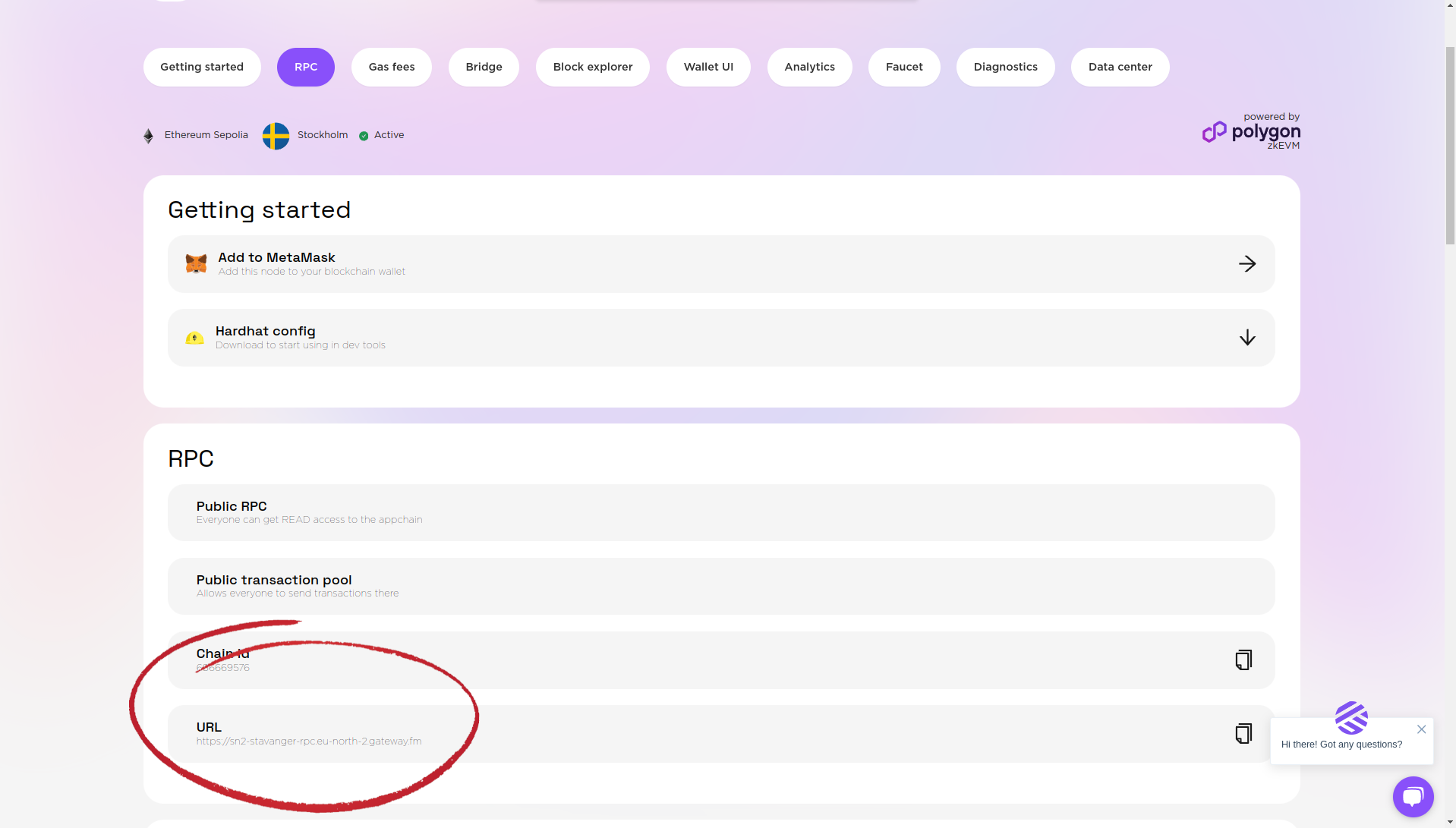
1. Create your rollup ([How to Create a Rollup](/overview/main-functionality/how-to-create-a-rollup.md)), open it and get the RPC url ([What Is RPC](/overview/features-for-developers/what-is-rpc.md))
2. Set up a custom RPC endpoint:
To use Presto with [ethers.py](https://pypi.org/project/ethers/), you can set up a custom RPC endpoint using the following code:
```python
from ethers.providers import HTTPProvider
url = ""
gatewayHttpProvider = HTTPProvider(url)
block_number = await gatewayHttpProvider.get_block_number()
```